March 30, 2026
Virtual Staging MLS Rules: What Every Agent Needs to Know (2026)
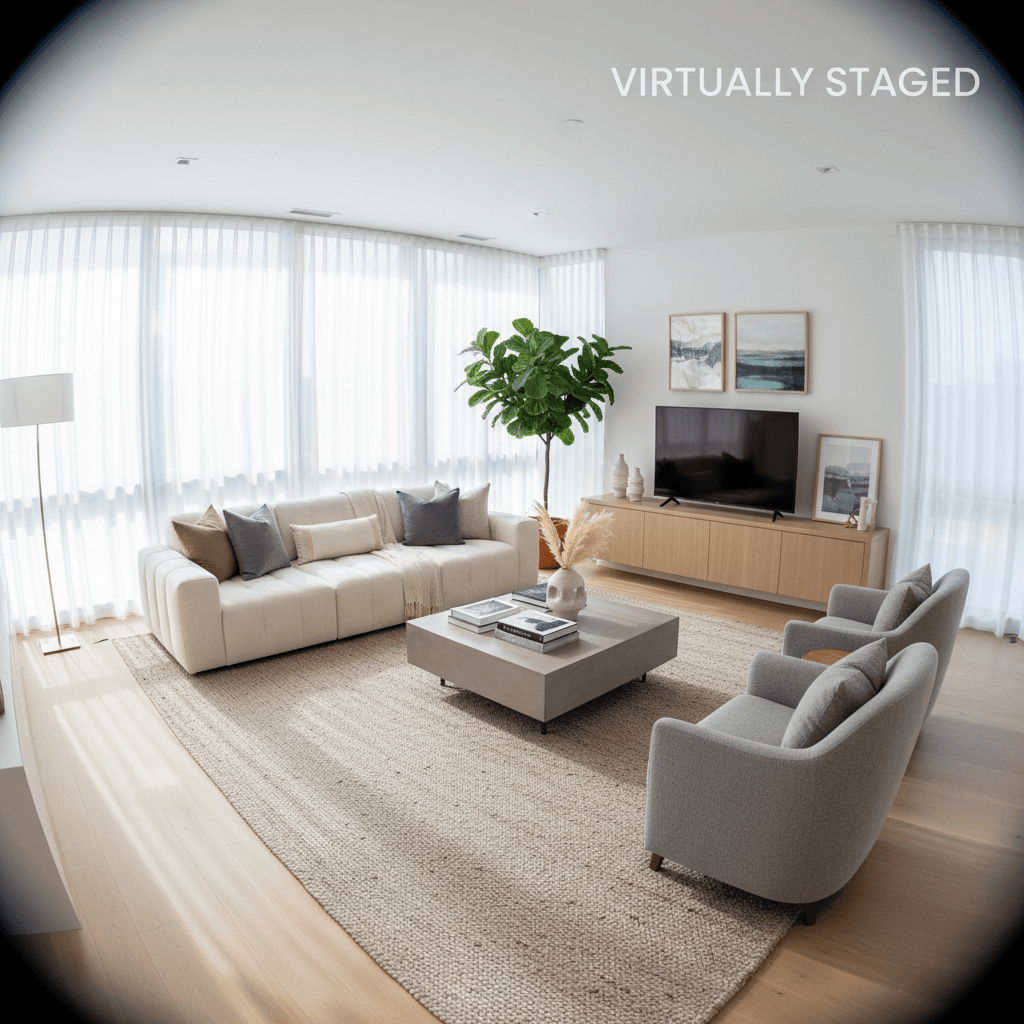
Virtual staging has become one of the most widely used tools in real estate marketing. AI-powered platforms can furnish an empty room in seconds, giving buyers a clear picture of how a space could look. But as the technology has gotten faster and more realistic, the rules around how you use it have become more important than ever.
Getting virtual staging wrong does not just mean a bad photo. It can mean MLS fines, license board complaints, lost deals, and serious damage to your reputation. This guide covers the MLS rules you need to know, the new California law that changed the game, and exactly how to stay compliant.
Why MLS Rules for Virtual Staging Exist
Trust is the foundation of every real estate transaction. Buyers rely on listing photos to decide which homes to visit, and agents rely on that trust to build their business. When a buyer walks into a property and finds that the rooms are smaller than they appeared in photos, that fixtures shown in images do not exist, or that damage was digitally removed, the entire transaction is compromised.
MLS organizations recognized early on that virtual staging could be used responsibly or irresponsibly. The rules they have put in place exist to protect buyers from misleading imagery while still allowing agents to use staging as the powerful marketing tool it is. The goal is simple: buyers should know what is real and what is digitally added.
General MLS Virtual Staging Rules
While specific rules vary by MLS board, most organizations have converged on a common set of requirements for virtually staged listing photos. Here is what the majority of MLS boards require:
- Disclosure that photos have been virtually staged. This is non-negotiable across nearly every MLS. Buyers must be informed that the furnished photos they are viewing are digitally created, not photos of actual furniture in the home.
- Clear labeling of staged photos. Many boards require a visible watermark, caption, or notation directly on or adjacent to each staged image. A small note buried in the listing description is often not sufficient.
- Including original, unaltered photos. Most MLS boards require that the original, unstaged photos be included in the listing alongside any virtually staged versions. This gives buyers a direct comparison between the actual property and the staged interpretation.
- Prohibition on altering structural elements. Virtual staging should add furniture and decor to a room. It should not move walls, add windows, change flooring, or alter the dimensions of a space. Any modification to the actual structure of the property crosses the line from staging into misrepresentation.
- Fines for violations. Enforcement is real. Some MLS boards issue automatic fines of $2,500 or more for non-compliant virtually staged photos. Repeat violations can result in suspension of MLS access.
California AB 723 (2025)
California became the first state to pass legislation specifically addressing virtual staging in real estate listings. Assembly Bill 723 was signed into law and went into effect in 2025, setting a legal standard that many expect other states to follow.
The law establishes several key requirements:
- Conspicuous labeling. Any listing photo that has been digitally altered — including virtually staged images — must be clearly and conspicuously labeled as such. The label must be visible to any reasonable viewer without needing to click through or read fine print.
- Original image required. The unaltered, original version of any digitally modified photo must be included in the listing. Buyers must have access to both the staged and unstaged versions.
- Applies to all licensees. The law applies to all real estate agents and brokers operating in California, regardless of brokerage size or transaction volume.
- Broad definition of digital alteration. AB 723 does not only cover virtual staging. It covers any material digital alteration to listing photos, including sky replacement, object removal, and other edits that could change a buyer's perception of the property.
Even if you do not operate in California, AB 723 is worth understanding. It represents the direction regulation is moving, and several other states have introduced similar bills. Following AB 723 standards is a good baseline for compliance anywhere.
What Counts as Misrepresentation
This is where many agents and staging providers get into trouble. The line between acceptable staging and misrepresentation is clear once you understand it, but many violations happen because agents or their tools blur that line without realizing it. Here are the most common forms of misrepresentation in virtual staging:
- Changing room dimensions. Some AI tools extend walls or expand rooms to make spaces appear larger than they actually are. This effectively adds square footage that does not exist, which is a material misrepresentation.
- Moving or removing walls. Digitally opening up a floor plan, removing a wall between rooms, or changing the layout of the property is not staging. It is fabrication.
- Adding fixtures that do not exist. Placing a chandelier, adding a staircase, inserting windows, or adding built-in shelving that is not physically present in the home misleads buyers about what they are purchasing.
- Removing structural defects. Digitally erasing water damage on ceilings, carpet stains, cracked walls, or other visible defects hides material information from buyers and can create legal liability.
- Using undersized furniture. Placing furniture that is scaled smaller than real-world proportions makes rooms appear larger than they are. A king-size bed that looks like a twin in the photo gives buyers a false sense of room size.
What Is Allowed
The good news is that the vast majority of what makes virtual staging effective is perfectly compliant. Industry consensus and MLS guidelines generally allow the following, as long as it is properly disclosed:
- Adding furniture to empty rooms. This is the core use case. Placing a sofa, dining table, bed, or desk in an empty room to help buyers visualize the space is exactly what virtual staging is for.
- Choosing different furniture styles. You can stage the same room in modern, farmhouse, minimalist, or any other design style. Showing multiple style options is a legitimate marketing tool.
- Adding decor items. Plants, artwork, area rugs, throw pillows, table lamps, and other decor elements are standard staging items, whether physical or virtual.
- Adjusting lighting and color balance. Basic photo enhancement — correcting white balance, adjusting brightness, improving clarity — is standard practice and not considered staging or alteration by most MLS boards.
The principle is straightforward: you can add things that help buyers visualize living in the space, but you cannot change the space itself.
How to Stay Compliant
Following these best practices will keep you on the right side of MLS rules, state laws, and buyer expectations:
- Always include original photos alongside staged versions. Upload the unstaged originals to your listing and make sure they are easy for buyers to find. This is required by most MLS boards and by California law.
- Use a "Virtually Staged" watermark or caption. Label every staged photo clearly. Place the text where it is visible but does not obstruct the image. Many tools can add this automatically.
- Mention virtual staging in your listing remarks. Add a note in the property description such as "Some photos have been virtually staged to illustrate potential furniture layouts." This provides an additional layer of disclosure.
- Use tools that preserve room dimensions. ListingScene's AI is designed to add furniture within the existing room boundaries without altering walls, floors, windows, or room proportions. Choosing a tool with structural guardrails eliminates a major source of compliance risk.
- Never alter walls, floors, windows, or room size. If your staging tool changes the structure of the room, do not use that output. Review every staged image against the original before uploading.
- Scale furniture realistically for the space. A small bedroom should have appropriately sized furniture. Resist the temptation to use undersized items to make the room look bigger. Buyers will notice the difference when they visit.
Penalties for Non-Compliance
The consequences of using misleading virtually staged photos extend beyond a slap on the wrist. Here is what agents risk:
- MLS fines. As mentioned, automatic fines of $2,500 or more are common for non-compliant staging photos. Some boards escalate fines for repeat offenders.
- License board complaints. Buyers who feel misled can file complaints with the state real estate commission. These complaints become part of your professional record and can lead to disciplinary action.
- Buyer trust damage. A buyer who arrives at a property and finds it looks nothing like the photos is unlikely to make an offer. Worse, they may lose trust in you as an agent for future transactions.
- Legal liability. In cases where misrepresented staging leads to a sale, buyers may have grounds for legal action. The costs of defending against such claims far exceed the cost of doing staging correctly in the first place.
- Wasted time and showings. Misleading photos attract buyers who are not a good fit for the property. This wastes your time, the buyer's agent's time, and the buyer's time — none of which builds your reputation.
Bottom Line
Virtual staging is one of the most effective tools in real estate marketing, but it only works if buyers trust what they see. The MLS rules and state laws around virtual staging exist to preserve that trust, and following them is straightforward: disclose, label, include originals, and never alter the structure of the property.
If you are looking for a staging tool that makes compliance easy, ListingScene is built with these guardrails in mind. The AI adds furniture and decor without changing room dimensions, and you can download staged photos ready to upload to your MLS.
See examples of compliant virtual staging in our gallery, or read our complete guide on what virtual staging is and how it works.