March 30, 2026
How to Virtually Stage Listing Photos Without Misleading Buyers
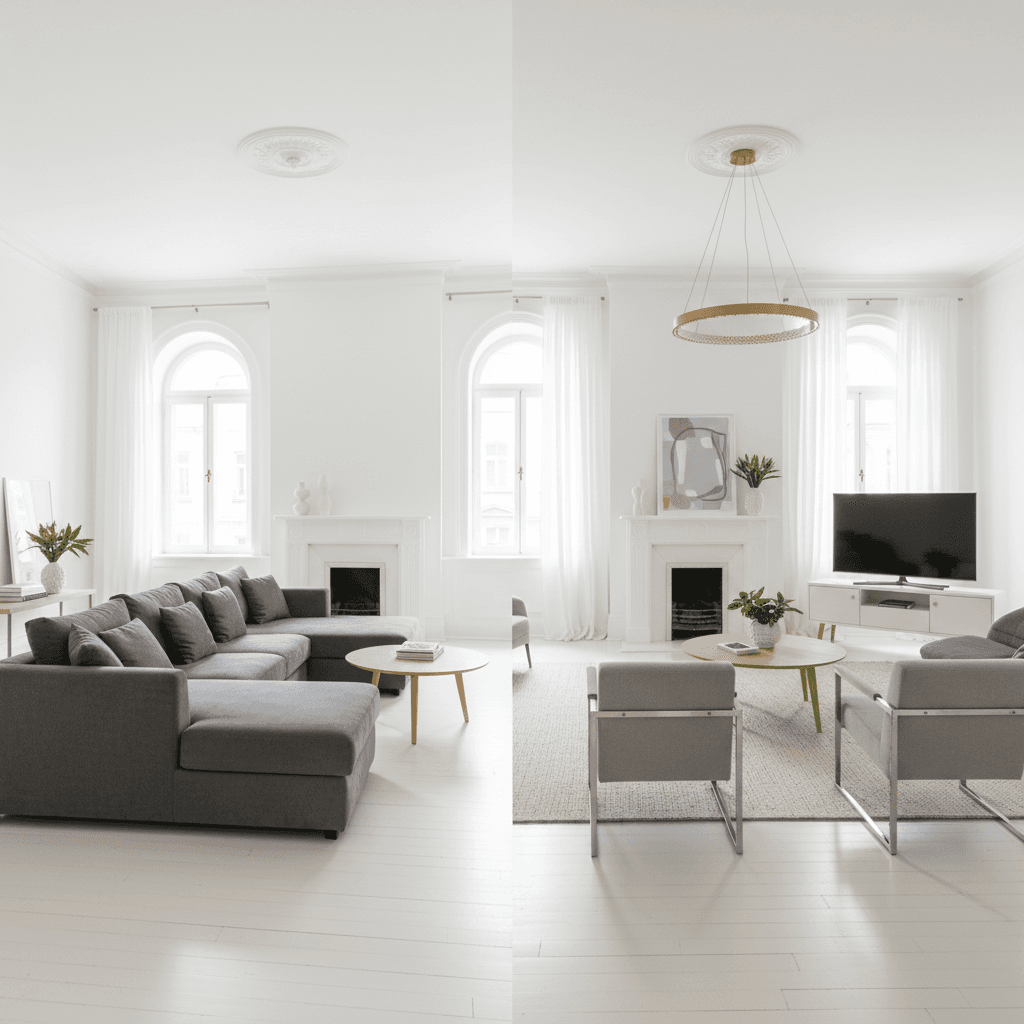
Virtual staging sells homes. That is not in question. But across the industry, agents and buyers are raising the same concern: too many virtually staged photos do not look anything like the actual property. Buyers show up to homes expecting the rooms they saw online and find something completely different. The frustration is real, and it is hurting deals.
The good news is that virtual staging done right builds trust, attracts serious buyers, and leads to stronger offers. This guide covers how to stage responsibly so your listings perform better without putting your reputation or your license at risk.
The Trust Problem
Agents and buyers across the industry are increasingly vocal about the damage that misleading virtual staging causes. The complaints follow a pattern: buyers arrive at a home excited by the listing photos, only to discover that the rooms are smaller than they appeared, that featured fixtures do not exist, or that visible damage was digitally erased.
For listing agents, the consequences are immediate. Buyers lose interest the moment they feel deceived. Their agents make a mental note not to trust your listings in the future. Showings that should lead to offers instead lead to awkward silences and quick exits.
The underlying issue is not virtual staging itself — it is virtual staging that changes the property rather than enhancing its presentation. When AI tools alter room dimensions, add non-existent fixtures, or remove visible defects, the resulting photos are not staging. They are fabrication.
What Bad Virtual Staging Looks Like
Understanding what crosses the line helps you avoid it. Here are the most common ways virtual staging goes wrong:
- Extended walls that add non-existent square footage. Some AI tools push walls outward or expand room boundaries, making spaces appear larger than they are. Buyers who tour the home immediately notice the discrepancy.
- Added fixtures. Extra chandeliers, windows, staircases, built-in shelving, or other architectural features that do not exist in the actual home. These are not staging — they are fabrications that materially mislead buyers.
- Unrealistically small furniture. Using furniture scaled below real-world proportions to make rooms appear larger. A bedroom staged with a twin-sized bed made to look like a queen distorts the buyer's sense of the space.
- Removed structural defects. Digitally erasing water stains on ceilings, carpet damage, cracked tiles, or peeling paint hides material information that buyers have a right to see.
- Changed flooring or paint colors without disclosure. Swapping dark carpet for hardwood or changing wall colors creates a false impression of the property's current condition.
The Rules
MLS boards and state laws have established clear guidelines for virtual staging. While specific rules vary by region, the core requirements are consistent:
- Disclose. Every MLS requires that virtually staged photos be identified as such. This is not optional.
- Label. Staged photos must carry a visible "Virtually Staged" watermark, caption, or notation.
- Include originals. Most boards require the original, unaltered photos to be included alongside staged versions.
- California AB 723. California law now requires conspicuous labeling of digitally altered listing photos and inclusion of unaltered originals. Other states are expected to follow. Read our complete guide to MLS virtual staging rules for full details.
How to Stage Responsibly
These eight practices will keep your staging accurate, compliant, and effective:
- Only add furniture and decor — never change the structure. Virtual staging means placing furniture in a room, not redesigning the room itself. Walls, windows, doors, flooring, and room dimensions must remain exactly as they are in the original photo.
- Scale furniture realistically for the room. A 10-by-12 bedroom should be staged with furniture that actually fits a 10-by-12 bedroom. If the room feels small with appropriately sized furniture, that is an accurate representation — and that is the point.
- Use the "Virtually Staged" watermark on every staged photo. Make it visible but non-intrusive. Place it in a corner or along the bottom edge. This single step satisfies the most common MLS disclosure requirement.
- Always include original photos in the listing. Upload unstaged originals alongside your staged versions. This gives buyers a clear comparison and demonstrates transparency.
- Mention virtual staging in your listing remarks. Add a line to your property description: "Select photos have been virtually staged to illustrate potential furniture arrangements. Original photos included."
- Use a tool with built-in structural guardrails. ListingScene's AI is specifically designed to prevent wall and dimension changes. The prompts that drive the staging process include constraints that preserve the room's actual structure, eliminating the most common source of misleading output.
- Review every staged photo before uploading. Compare the staged version against the original side by side. Check that walls are in the same position, that the room proportions match, and that no fixtures have been added or removed. This takes 30 seconds per photo and prevents compliance issues.
- Lead with original photos, follow with staged versions. When ordering your listing photos, place the unstaged originals first. Follow them with the staged interpretations. This sets accurate expectations and positions the staged photos as helpful visualization rather than the primary representation.
Why Accurate Staging Actually Sells Better
There is a common misconception that exaggerating a property through staging leads to more interest. The opposite is true. Accurate staging outperforms misleading staging in every metric that matters:
- Buyers who trust the photos make stronger offers. When a buyer arrives at a property and it matches what they saw online, their confidence in the listing — and in you as the agent — increases. Confident buyers make competitive offers.
- Fewer wasted showings. Misleading photos attract buyers who are not a good fit. They visit, feel disappointed, and leave. Accurate photos attract buyers who are genuinely interested in the property as it actually exists. Your showing-to-offer ratio improves.
- Better agent reputation and referral business. Agents who consistently deliver accurate, well-presented listings build trust with buyer's agents. That trust turns into repeat business and referrals. Agents who gain a reputation for misleading photos find the opposite.
- Aligned expectations lead to smoother closings. When buyers know exactly what they are getting, there are fewer surprises during inspections and walkthroughs. Deals that start with accurate expectations are more likely to close without complications.
As one agent put it: "I would rather have accurate media and fewer but better aligned buyers than inflated interest from people who walk away disappointed."
Try It
ListingScene is built for agents who want staging that sells without misleading. The AI adds furniture and decor to your photos while preserving the room's actual dimensions and structure. Every staged photo is ready for MLS upload with proper disclosure.
Sign up free and test it with a photo from your next listing. See the results in our gallery, or read the complete guide to MLS staging rules to make sure you are fully covered.