March 28, 2026
Real Estate Image Enhancement Guide: 10 Fixes That Improve Listings
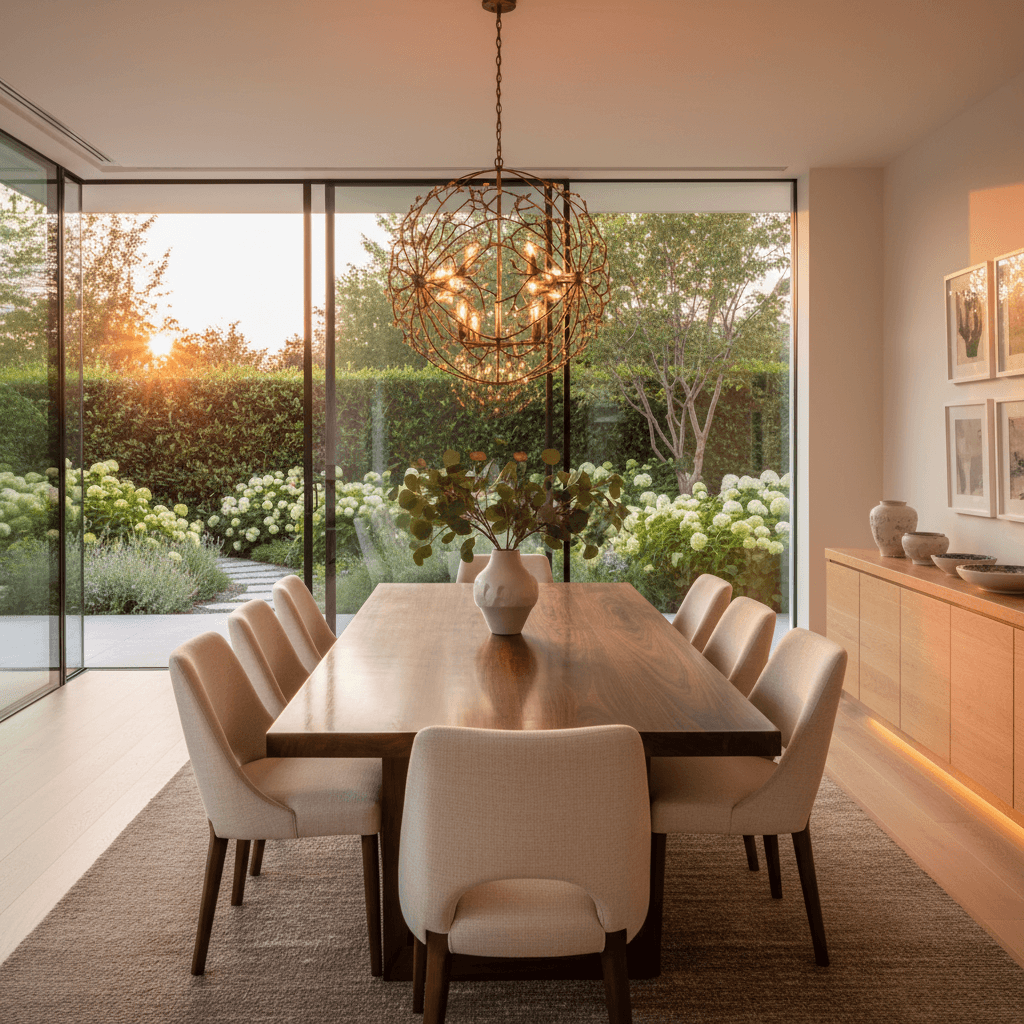
Image enhancement sits between basic photo editing and virtual staging. Basic editing adjusts exposure and crops. Virtual staging adds furniture to empty rooms. Enhancement is everything in between — fixing the problems that make a photo look amateur and transforming it into a listing photo that attracts buyers.
If you already know you need the tool rather than the explainer, start with our AI real estate photo enhancement page and use this guide to decide which fix to apply first.
According to NAR, 85% of homebuyers consider photos the most critical factor when evaluating a property online, and listings with professional-quality photos sell 32% faster. Enhancement is what bridges the gap between "taken on a phone" and "professionally produced."
The 10 Types of Real Estate Image Enhancement
1. Brightness and Lighting Correction
Dark photos are the number one listing killer. Rooms with limited natural light, photos shot on cloudy days, or interiors where the camera exposed for bright windows — all result in images that make spaces feel smaller and less inviting. Lighting correction lifts overall brightness, opens up shadows in corners, and creates the airy, well-lit look that buyers expect.
When to use it: Any interior photo that looks darker than the room felt in person.
2. White Balance and Color Cast Removal
Mixed light sources create color casts that are invisible to the human eye but obvious in photos. Tungsten bulbs (3200K) mixing with daylight (5500K) makes rooms look half orange, half blue. Fluorescent lighting adds a green tint. Color cast removal normalizes the temperature across the entire image so walls look the color they actually are.
When to use it: Photos shot under mixed lighting, or any image where walls appear yellow, blue, or green when they should be white or neutral.
3. Perspective Straightening
Tilting the camera even a few degrees causes walls and door frames to converge, making rooms look warped. Perspective correction straightens vertical and horizontal lines to match how the human eye perceives the space. This is one of the most impactful corrections — a photo with straight verticals immediately looks more professional.
When to use it: Any photo where vertical lines (walls, door frames, columns) appear to lean inward or outward.
4. Blue Sky Replacement
You can't control the weather, but you can control how it looks in your listing. Overcast, gray, or blown-out white skies make exteriors look flat and uninviting. Sky replacement swaps the existing sky for a blue sky with natural-looking clouds, properly matched to the ambient lighting direction in the photo.
When to use it: Any exterior photo shot under overcast or hazy conditions.
5. Day-to-Dusk Conversion
Transforms a daytime exterior into a twilight scene with a gradient sky and warm interior lighting. As covered in our day-to-dusk photography guide, twilight images receive up to 76% more views than standard daytime exteriors. This enhancement simulates the golden-hour look without requiring an actual dusk shoot.
When to use it: Hero images for mid-range to luxury listings, or any exterior where you want maximum visual impact.
6. Decluttering
Removes visual distractions from photos — personal items on countertops, cables behind TVs, shoes by the door, bins at the curb. Decluttering is digital depersonalization. It helps buyers focus on the space itself rather than the current occupant's belongings.
When to use it: Occupied homes where the seller couldn't fully stage before the shoot.
7. Wall Color Change
Bold or dated wall colors narrow a listing's appeal. A room painted fire-engine red or forest green may look fine in person but photographs terribly and limits the buyer pool. Virtual wall color change replaces existing paint colors with neutral tones — warm whites, greige, soft linen — without requiring the seller to physically repaint.
When to use it: Rooms with bold, dark, or dated paint colors that might turn off buyers in photos.
8. Lawn Greening
Brown, patchy, or drought-stressed lawns make a property look neglected from the curb. Lawn greening enhances grass to a healthy, vibrant green without making it look artificial. The goal is "well-maintained lawn in May" — not "golf course fairway."
When to use it: Properties listed during winter, drought conditions, or where the lawn is genuinely in poor condition.
9. Object Removal
More targeted than general decluttering. Object removal handles specific, larger items — a neighbor's car parked in front of the house, a dumpster during renovations, power lines crossing the frame, or construction equipment nearby. The removed objects are replaced with AI-generated fill that matches the surrounding environment.
When to use it: When specific large objects distract from the property and can't be physically moved.
10. General Enhancement (Overall Quality Boost)
A comprehensive pass that applies multiple corrections at once — adjusting exposure, contrast, color balance, sharpness, and clarity. Think of it as a "make this photo look professional" button. It doesn't target a specific problem; it elevates the overall quality of the image.
When to use it: Any photo that looks "okay" but not polished, especially smartphone photos that need professional-level refinement.
Pricing: DIY vs. Outsourcing vs. AI
The cost of enhancement varies dramatically depending on your approach:
| Method | Cost per Image | Turnaround | Skill Required |
|---|---|---|---|
| DIY (Lightroom/Photoshop) | Free (software subscription) | 5-15 min per image | High |
| Outsourcing (BoxBrownie, PhotoUp) | $1.50-$10 per image | 12-48 hours | None |
| Freelance (Fiverr, Upwork) | $2-$15 per image | 24-72 hours | None |
| AI (ListingScene) | $0.09 per image | ~10 seconds | None |
For a 30-photo listing, the math is straightforward: DIY costs you 2.5-7.5 hours of your time. Outsourcing costs $45-$300 and takes 1-3 days. AI costs about $2.70 and takes 5 minutes. The right choice depends on whether you value your time, your budget, or your need for speed.
How to Choose an Enhancement Service
If you're evaluating enhancement services, here's a checklist of what to compare:
- Turnaround time: Can it match your listing timeline? If you shoot in the morning and want the listing live by afternoon, 24-hour turnaround doesn't work.
- Price per image: Calculate your monthly spend at your typical volume. Subscription models (like ListingScene at $8.99/month) are cheaper at higher volumes than pay-per-image services.
- Quality consistency: Request sample edits of your own photos before committing. Human-edited services vary by editor. AI services produce consistent results.
- Revision policy: What happens if the result isn't right? Some services offer free revisions, others charge. With AI tools, you simply re-run the enhancement with different settings.
- Supported enhancement types: Some services only handle basic brightness/contrast. Others offer the full range from sky replacement to decluttering. Make sure the service covers what you actually need.
- Output format: Confirm the service exports in MLS-compatible formats (JPEG, sRGB, minimum 2048px wide).
The Impact on Listings
The numbers make the case for enhancement clearly. NAR data shows listings with professional photography sell 32% faster. Properties photographed with professional quality close between $934 and $116,076 higher than comparable listings with lower-quality photos. According to the 2025 NAR Profile of Home Staging, 83% of buyers' agents say staging (which includes digital enhancement) makes it easier for buyers to visualize a property as their future home.
Nearly half (49%) of sellers' agents report that staging — including photo enhancement — reduced time on market. And 29% of agents reported that enhanced presentation led to a 1-10% increase in the dollar value of offers received.
Start Enhancing Your Listings
Image enhancement is no longer a luxury reserved for high-end listings. At $0.09 per image with ListingScene, every listing can have professionally enhanced photos — corrected lighting, straight verticals, blue skies, and clean, decluttered rooms. The technology has made the excuses disappear. The only question is whether your listings will benefit from it, and the data says they will.
Related Articles
- Real Estate Photo Enhancement Service
- Real Estate Photo Retouching: Services, Pricing & AI Options
- How to Edit Real Estate Photos: Step-by-Step Tutorial
Explore our editing services: Photo Editing | Sky Replacement