March 28, 2026
Virtual Staging for Vacant Homes: The Complete Guide (2026)
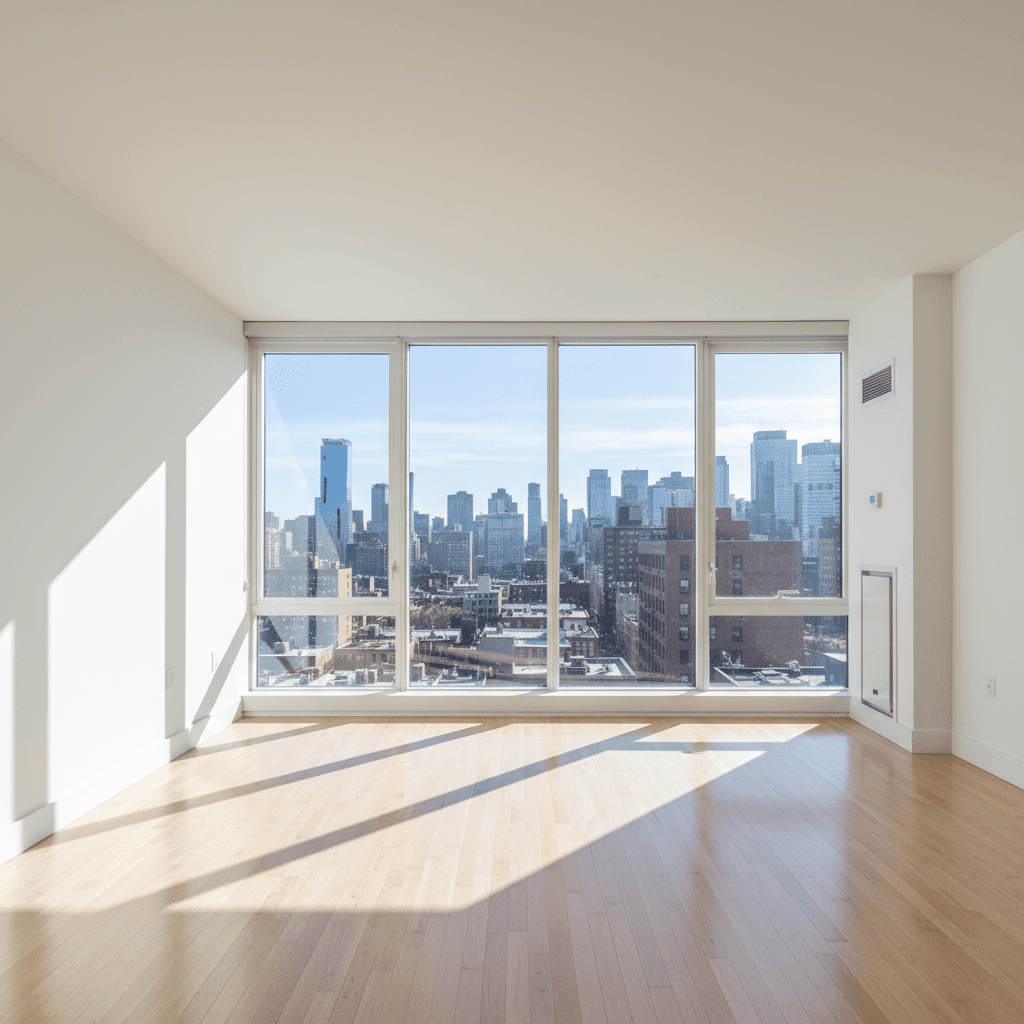
Vacant homes are among the hardest properties to sell. Empty rooms photograph poorly, buyers struggle to visualize how the space would function, and the listing photos blend into a sea of identical white-wall-and-carpet shots on Zillow. According to the NAR 2025 Profile of Home Staging, 83% of buyers' agents say staging makes it easier for clients to visualize a property as their future home — and over 41% of top agents believe vacant homes benefit the most from staging.
Virtual staging solves the vacant home problem without the cost and logistics of physical furniture. This guide covers everything you need to know to do it well.
Why Vacant Homes Struggle on the Market
Empty rooms create three specific problems for listings:
- Scale confusion. Without furniture, buyers cannot judge room proportions. A generous 14x16 living room can look cramped or cavernous depending on the camera angle — there's nothing to anchor the viewer's sense of scale.
- Emotional disconnect. Staged homes trigger an emotional response — buyers imagine themselves living there. Empty rooms feel institutional, not residential. There's no warmth, no invitation.
- Online scroll-past. With 97% of buyers starting their search online, listing photos are your first impression. Empty room photos are visually uninteresting and get skipped in favor of staged or furnished listings.
The Data: How Staging Affects Sale Outcomes
The numbers from NAR's 2025 research are clear:
- 49% of sellers' agents report that staging reduces time on market, with 19% noting a significant reduction.
- 29% of agents reported staging led to a 1–10% increase in the dollar value offered — on a $400,000 home, that's $4,000–$40,000.
- Virtually staged listings attract 74% more serious buyer interest and generate 40% more online views compared to unstaged listings.
- The average cost of physically staging a vacant home is $4,500/month — making virtual staging the clear ROI winner for most price points.
Virtual Staging vs Physical Staging for Vacant Homes
| Factor | Physical staging | Virtual staging |
|---|---|---|
| Cost per home | $2,000–$5,000+ first month | $0.09–$30 per image |
| Monthly rental | $500–$2,000/month ongoing | None |
| Setup time | 1–3 days | 10 seconds per image |
| Logistics | Delivery, setup, removal | Upload and download |
| Style changes | Requires new furniture | One click to restyle |
| In-person impact | Yes — buyers see furniture | Photos only |
For agents listing vacant investment properties, pre-construction units, or homes with out-of-state sellers, virtual staging is the practical choice. Physical staging only makes sense for luxury listings where open-house presentation justifies the cost. Read our full digital vs physical staging comparison for more detail.
Room-by-Room Virtual Staging Guide
Each room in a vacant home needs a different staging approach. Here's what to include for maximum buyer impact:
Living room
The living room is the most viewed staged photo in any listing. Include a sofa, coffee table, area rug, accent chair, and a few decor items (throw pillows, a plant, wall art). Keep the layout open and oriented toward a focal point — fireplace, large window, or TV wall.
Primary bedroom
A queen or king bed (appropriate to room size), matching nightstands with lamps, and minimal decor. Avoid over-furnishing — buyers want to see that their own furniture will fit. A bench at the foot of the bed adds a luxury touch without cluttering the room.
Kitchen and dining
Kitchens are rarely empty (cabinets and counters are built in), but a dining table with chairs and a simple centerpiece defines the eat-in area. On the counter, a fruit bowl, cutting board, or small plant makes the space feel lived-in without looking cluttered.
Bathroom
Rolled towels, a small plant, soap dispensers, and a bath mat. These small touches transform a bare bathroom into a spa-like space. Keep it minimal and clean.
Home office
Post-2020, buyers actively look for work-from-home space. A desk, ergonomic chair, and a bookshelf turn an ambiguous spare room into a defined home office — which can increase perceived value.
Furniture Style Recommendations by Price Point
The staging style should match what buyers in that price range expect:
- Starter homes (under $350K): Clean modern or Scandinavian. Light wood tones, neutral colors, simple lines. This demographic gravitates toward IKEA and West Elm aesthetics — approachable, contemporary, aspirational without being intimidating.
- Mid-range ($350K–$750K): Transitional or modern farmhouse. Warmer tones, textured fabrics, a mix of wood and upholstered pieces. This is the broadest market, so neutral, universally appealing styles work best.
- Luxury ($750K+): Contemporary luxury or classic. Richer materials, statement lighting, larger-scale furniture, curated art. The staging should feel intentional and designed, not generic.
MLS Disclosure Requirements
Virtual staging is widely accepted by MLS boards, but disclosure is mandatory. The NAR Code of Ethics requires agents to "clearly and conspicuously disclose" when listing photos are digitally manipulated. Specific rules vary by MLS:
- California (CRMLS): Requires a "Virtually Staged" watermark on every staged photo plus disclosure in listing remarks. As of January 2026, California law AB 723 requires disclosure of any AI-altered marketing images.
- Texas (NTREIS): Watermark required; vacant/original photos must appear first in the photo order.
- Florida (Miami MLS): Requires separate "Staged" and "Vacant" photo galleries when both are available.
- New York (REBNY): Watermark must read "Virtual Staging — Furniture Not Included."
- Illinois (MRED): Standard NAR compliance with watermark required on all digitally altered photos.
Non-compliance can result in MLS fines ($100–$500), listing removal, and potential legal action from buyers who claim misrepresentation. Always check your local MLS guidelines and include the original unstaged photos alongside virtually staged versions.
Tips for Best Results
- Shoot with a wide-angle lens (16–24mm equivalent) to capture the full room. Virtual staging works best when the AI has the complete space to furnish.
- Maximize natural light. Open all blinds and curtains. Turn on all lights. Well-lit rooms produce better staging results — and better listing photos overall. Check our photography tips guide for more.
- Shoot multiple angles. Stage 2–3 angles of key rooms to give buyers a complete picture of the space.
- Clean the space first. Virtual staging adds furniture, but it can't hide dirty floors, scuffed baseboards, or cobwebs. A clean room produces cleaner results.
Getting Started with Virtual Staging
ListingScene makes virtual staging for vacant homes fast and affordable. Upload a photo of an empty room, select a furniture style, and get a staged result in about 10 seconds. At $0.09 per image on the Pro plan, you can stage an entire vacant home for under $2 — compared to $4,500+ for physical staging.
Sign up free and use your complimentary credits to stage your next vacant listing. Combine it with photo enhancement and sky replacement to create a listing that stands out from every other vacant home on the market.